
Roblox Dead Rails: Solo Player Guide
Dead Rails, developed by RCM Games, is an intense post-apocalyptic survival adventure on Roblox. Your objective is to travel 80 kilometers by steam locomotive from the plague-stricken United States to Mexico, gathering fuel, weapons, and vital supplies. Throughout the journey, you must fend off zombies, outlaws, werewolves, vampires, and even powerful bosses like Nikola Tesla. This guide is tailored for courageous players who aim to complete the expedition solo, equipping you to handle every obstacle the railways present.
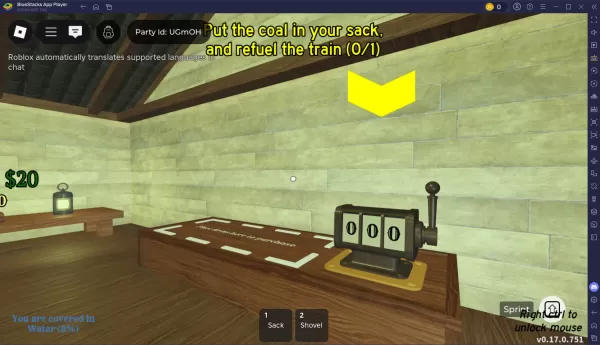
The key to a successful solo run is to reach a safe zone before nightfall, when more dangerous enemies emerge. It’s also wise to stock up on fuel before departing a secure area. When the train begins moving, avoid searching for loot in hazardous zones—this high-risk, high-reward approach is best avoided for a safe solo journey. Time passes quickly in Dead Rails; every 20 seconds of train travel equals one in-game hour. Night begins once your train clock shows 9 PM.
At your first safe zone, eliminate any werewolves or zombies prowling near the fortress. The church offers protection from threats. In the trading post, you can exchange slain werewolf or zombie remains for train fuel. If you defeat any outlaws, report their bodies at the sheriff’s office to earn extra cash. Use this money to purchase bulletproof vests for your train, boosting your chances of surviving the night. Repeat these steps at subsequent safe zones, and invest in a firearm and train armor.
Focus on Zombie Nights
During nighttime in Dead Rails, one of three enemy types may appear: zombies, vampires, or werewolves. If zombies spawn, consider eliminating them—they drop coal, which refuels your train and eases your travel. Avoid engaging vampires and werewolves, as they are difficult to kill and only drop sellable items. While the money can be useful in the next safe zone, confronting these foes is generally too risky.
For an enhanced experience, play Dead Rails and other Roblox titles on your PC or laptop using BlueStacks, which supports bigger displays and keyboard and mouse controls.
Advance further in Dead Rails (Roblox) with our detailed guides:
How to Play Roblox on PC with BlueStacksBlueStacks’ Beginner’s Guide to RobloxRoblox Dead Rails Beginner’s Guide and Tips










-
1
Apex Legends keeps falling down in concurrent player count
Dec 30,2024
-
2

Roblox King Legacy: December 2024 Codes (Updated)
Dec 24,2024
-
3

Alien: Romulus 'Fixed' Terrible Ian Holm CGI for Home Release but Fans Still Think It’s Pretty Bad
Mar 03,2025
-
4
Roblox: Get Exclusive "Squid Game" Season 2 Codes for Epic Rewards
Feb 20,2025
-
5
Roblox: Notoriety Codes (January 2025)
Jan 17,2025
-
6
Sakamoto Puzzle Unravels in Japan
Jan 27,2025
-
7

Call Of Duty: Black Ops 6 Beta Testing Dates Confirmed
Jan 05,2025
-
8

Metaphor: ReFantazio Releases New Update for January 2025
Feb 20,2025
-
9

Marvel Rivals Debuts Midtown Map Update
Feb 02,2025
-
10
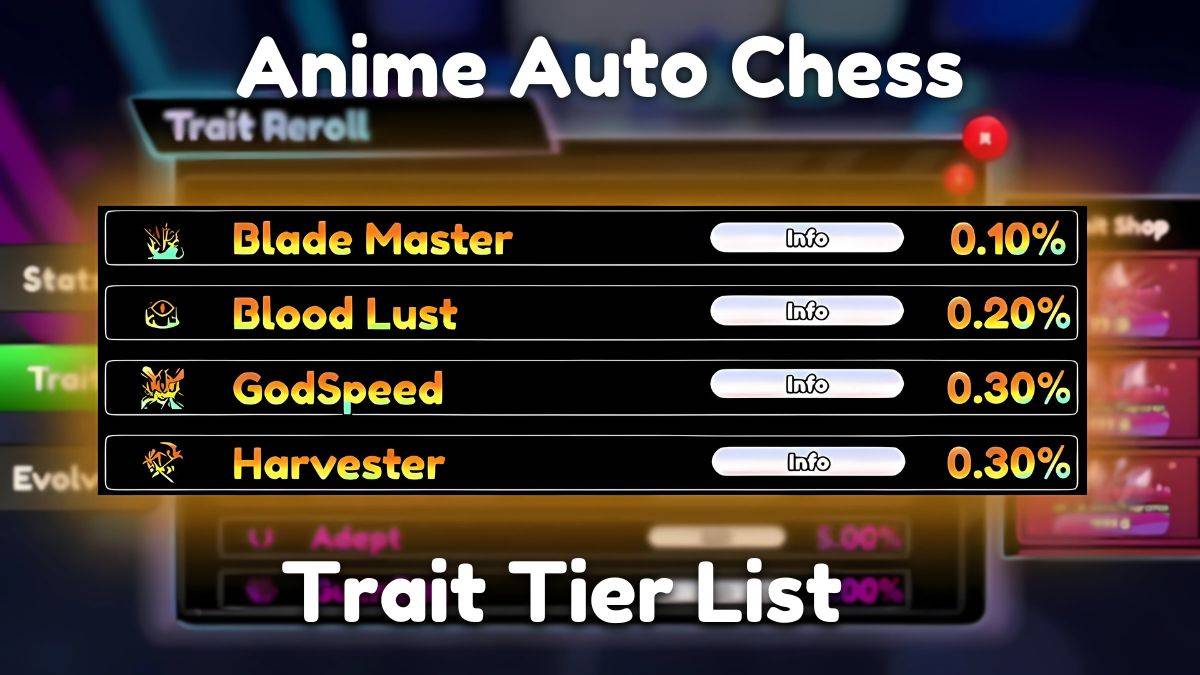
Anime Auto Chess: January 2025 Trait Tier List Update
Mar 13,2025
-
Download
Magnet Hero
Action / 45.6 MB
Update: Feb 11,2025
-
Download

Bulma Adventure 2
Casual / 57.55M
Update: Mar 09,2024
-
Download
Rusting Souls
Role Playing / 82.00M
Update: Dec 11,2024
-
4
Raising Gang-Girls:Torment Mob
-
5
Brawl Box Stars Simulator
-
6
Learning Color Shapes for kids
-
7
Love and Deepspace Mod
-
8
Karate King Kung Fu Fight Game
-
9
VRNOID demo(Meta Quest)
-
10
ALLBLACK Ch.1