Creating your own Hotspot
With NetShare, you can easily create a personal Wi-Fi hotspot that extends your mobile data connection to other devices. This feature works like connecting a modem to share your internet, but without needing to root your phone. You’ll have full control over who connects, so you no longer need to constantly change your mobile data password. Maintaining a stable and secure connection also depends on proper setup and configuration, ensuring reliable performance and seamless sharing across multiple devices.
Benefits of creating a Wi-Fi router
Turning your smartphone into a Wi-Fi router offers multiple benefits. It simplifies connectivity for various devices, from laptops to tablets and smart devices. After each successful connection, the app provides clear setup instructions. When both devices have the NetShare app installed, Android devices can connect instantly with minimal steps. However, connecting different device types may require additional configuration, especially when adjusting IP addresses or proxy settings. The latest version of the app now includes full support for Android 12, ensuring smooth operation on the most up-to-date systems.
How to set up and optimize the NetShare app for creating and sharing a Wi-Fi hotspot with others
Deciding the Information of Your Wi-Fi Hotspot
- If you're streaming mobile data or sharing your connection with friends, use the app to set up your own hotspot.
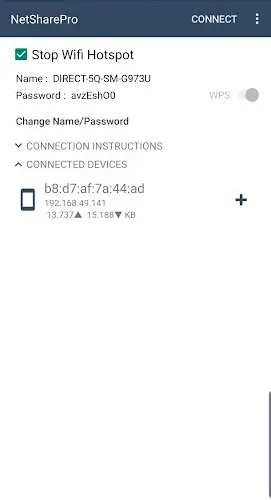
- Choose a unique network name and a strong password to make sharing safe and simple.
- Setting up takes just a few minutes, and enabling WPS can help complete the process quickly.
- Share the network details securely with your friends to allow easy access.
Establishing Connections Between Android Apps
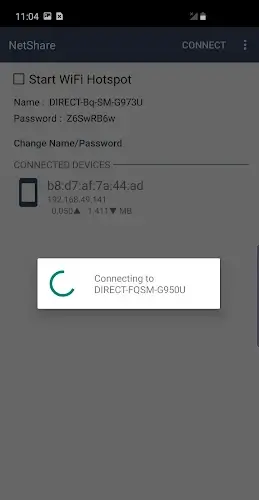
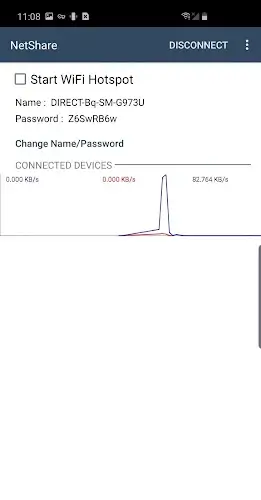
- Once your hotspot is created, the app provides step-by-step guidance for connecting various devices.
- If your friend uses an Android device, they should install the NetShare app for a smooth connection.
- They’ll open the app, tap the connect button, and grant required permissions to establish the link.
Changing Address and Proxy for Connection
- If your friend is connecting from a different type of device, they may need to manually adjust the IP address and proxy settings.
- Share these settings privately with your friend to ensure secure access.
- After making the changes, they can maintain a stable and hidden connection, protecting your network from unauthorized users.
Using the Correct Application with a Supported Operating System
- When installing the app, make sure your device meets the required configuration standards.
- The app runs on Android 6.0 or later, so check your device’s OS version before using.
- Verify your device’s settings and system compatibility to ensure all features work properly and reliably.
2.36
1.31M
Android 5.0 or later
kha.prog.mikrotik