
"Master Minecraft Enchantment: Enhance Your Multiplayer Experience"
Enchanting in Minecraft: Play with Friends is a powerful game mechanic that allows players to enhance their weapons, armor, and tools with magical properties. These enchantments offer valuable benefits such as increased durability, higher attack damage, faster mining speeds, and even special effects like self-repair or elemental resistance. Whether you're battling the Ender Dragon, exploring the Nether, or surviving against the Warden, properly enchanted gear can make all the difference. This comprehensive guide walks you through setting up your enchanting station, understanding the best enchantments for each item, and optimizing your setup to unlock the strongest possible upgrades.
What Is Enchanting and Why Does It Matter?
Enchanting adds special abilities to your equipment, significantly improving your efficiency and survivability in the game. Without enchantments, tools break quickly, weapons deal minimal damage, and armor offers only basic protection. With the right enchantments, you can create a pickaxe that mines faster and yields more resources, a sword that sets enemies on fire, or armor that reduces fall damage. This system adds strategic depth, letting players customize their gear for specific challenges. For those tackling high-difficulty content like the End, Nether fortresses, or boss fights, enchanting isn’t just helpful—it’s essential.
How to Build an Enchanting Table and Setup
To start enchanting, you’ll first need to craft an Enchanting Table. This requires 4 Obsidian blocks, 2 Diamonds, and 1 Book. Since Obsidian requires a diamond pickaxe to mine, this setup is typically achievable only after progressing past the early survival phase.
To unlock higher-level enchantments, surround your Enchanting Table with Bookshelves. You’ll need exactly 15 bookshelves, each placed one block away from the table in a square or circular formation, with no blocks or obstructions in between. When arranged correctly, this setup boosts the enchanting level to the maximum of Level 30, granting access to the best enchantments.
Each Bookshelf is crafted using 6 Books and 3 Wooden Planks. Books require paper (from sugarcane) and leather (from cows), so farming sugarcane and hunting animals early on can help prepare for this stage. Finally, enchanting consumes both Experience Levels (XP) and Lapis Lazuli, a deep-mined blue ore. Gathering XP through mob grinding or building an XP farm is highly recommended to support frequent enchanting.
How Enchanting Works
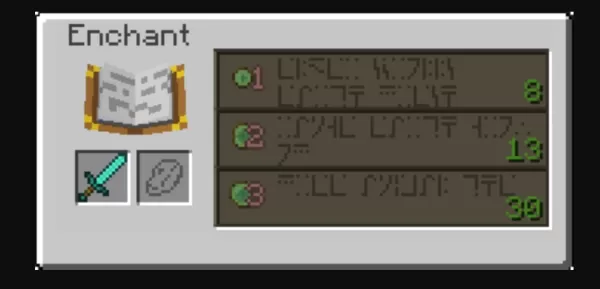
Once your setup is complete, using the Enchanting Table is simple. Open the interface, place the item you want to enchant in the first slot, and add Lapis Lazuli to the second. The table will display three random enchantment options, each requiring a certain number of XP levels and Lapis Lazuli. The higher your XP level, the stronger the available enchantments—Level 30 is required for the top-tier options.
Each option guarantees at least one enchantment, but may include additional bonus enchantments based on randomness. For more control, consider enchanting Books instead of items directly. Enchanted Books can later be applied to gear using an Anvil, allowing you to combine specific enchantments strategically without wasting rare items.
Using Anvils to Combine and Upgrade Enchantments
Anvils are vital for advanced enchanting. Crafted from 3 Iron Blocks and 4 Iron Ingots, they allow you to:
- Merge two enchanted items to combine their enchantments.
- Apply enchanted books to unenchanted or partially enchanted gear.
- Customize item names for personalization.
However, each use increases the Prior Work Penalty, raising the XP cost for future repairs or combinations. Eventually, an item may become “Too Expensive” to modify further. To avoid this, plan your enchantment path carefully—apply books in the most efficient order and minimize redundant anvil use.
If you need to reset an item, a Grindstone can remove all non-curse enchantments and return a portion of the XP used, making it useful for salvaging or rerolling gear.
Mending and Unbreaking: The Ultimate Durability Combo
No enchanted gear is complete without Mending and Unbreaking. Mending repairs an item’s durability using collected XP, effectively making it last indefinitely with regular use. Unbreaking increases the chance that an item doesn’t lose durability when used, significantly extending its lifespan. Together, these enchantments ensure your best tools, weapons, and armor stay in top condition—making them top priorities for every piece of equipment you plan to rely on long-term.
For the best experience, consider playing Minecraft: Play with Friends on your PC using BlueStacks. With a keyboard and mouse, you gain better control, smoother gameplay, and the ability to enjoy the game on a larger screen.
[ttpp]







-
1

Apex Legends keeps falling down in concurrent player count
Dec 30,2024
-
2

Alien: Romulus 'Fixed' Terrible Ian Holm CGI for Home Release but Fans Still Think It’s Pretty Bad
Mar 03,2025
-
3
Roblox: Notoriety Codes (January 2025)
Jan 17,2025
-
4
Roblox: Get Exclusive "Squid Game" Season 2 Codes for Epic Rewards
Feb 20,2025
-
5
Roblox King Legacy: December 2024 Codes (Updated)
Dec 24,2024
-
6

Metaphor: ReFantazio Releases New Update for January 2025
Feb 20,2025
-
7

Call Of Duty: Black Ops 6 Beta Testing Dates Confirmed
Jan 05,2025
-
8

Sakamoto Puzzle Unravels in Japan
Jan 27,2025
-
9

Marvel Rivals Debuts Midtown Map Update
Feb 02,2025
-
10
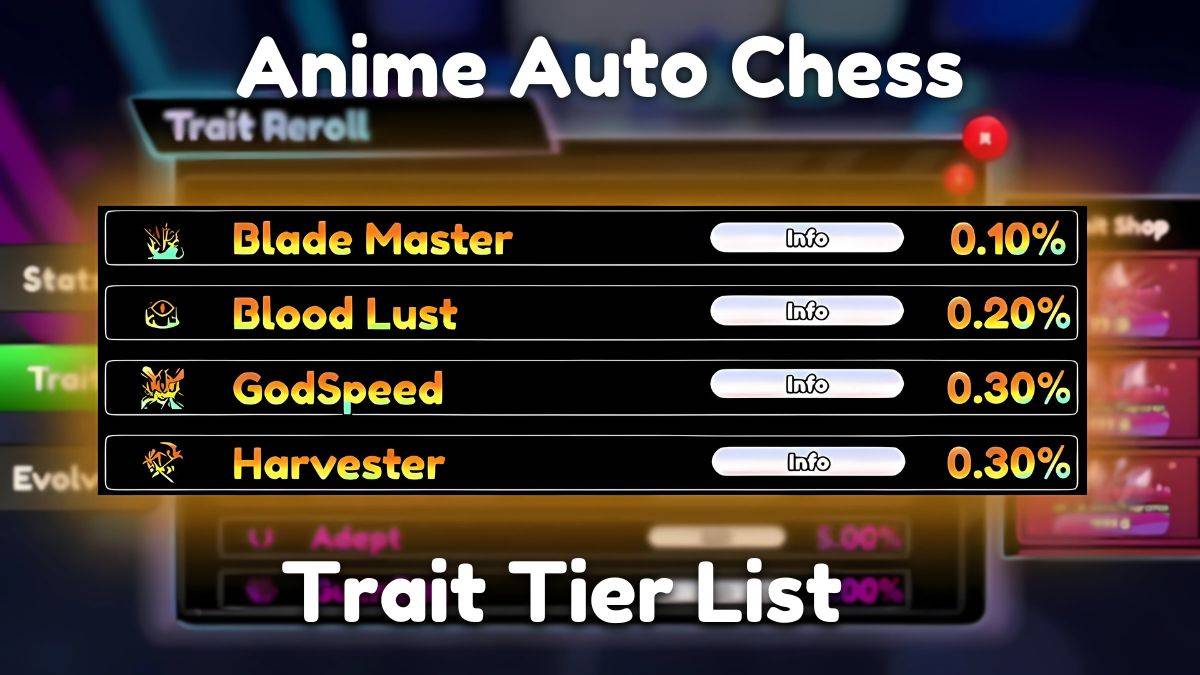
Anime Auto Chess: January 2025 Trait Tier List Update
Mar 13,2025
-
Download

Magnet Hero
Action / 45.6 MB
Update: Feb 11,2025
-
Download

Raising Gang-Girls:Torment Mob
Role Playing / 39.42M
Update: May 06,2023
-
Download
Bulma Adventure 2
Casual / 57.55M
Update: Mar 09,2024
-
4
Rusting Souls
-
5
Brawl Box Stars Simulator
-
6
Learning Color Shapes for kids
-
7
Love and Deepspace Mod
-
8
IDV - IMAIOS DICOM Viewer
-
9
VRNOID demo(Meta Quest)
-
10
كلمة السر